
Organization settings
The Organization tab holds your identity and the operational defaults everything else leans on. Open it with Settings → Organization in the sidebar.
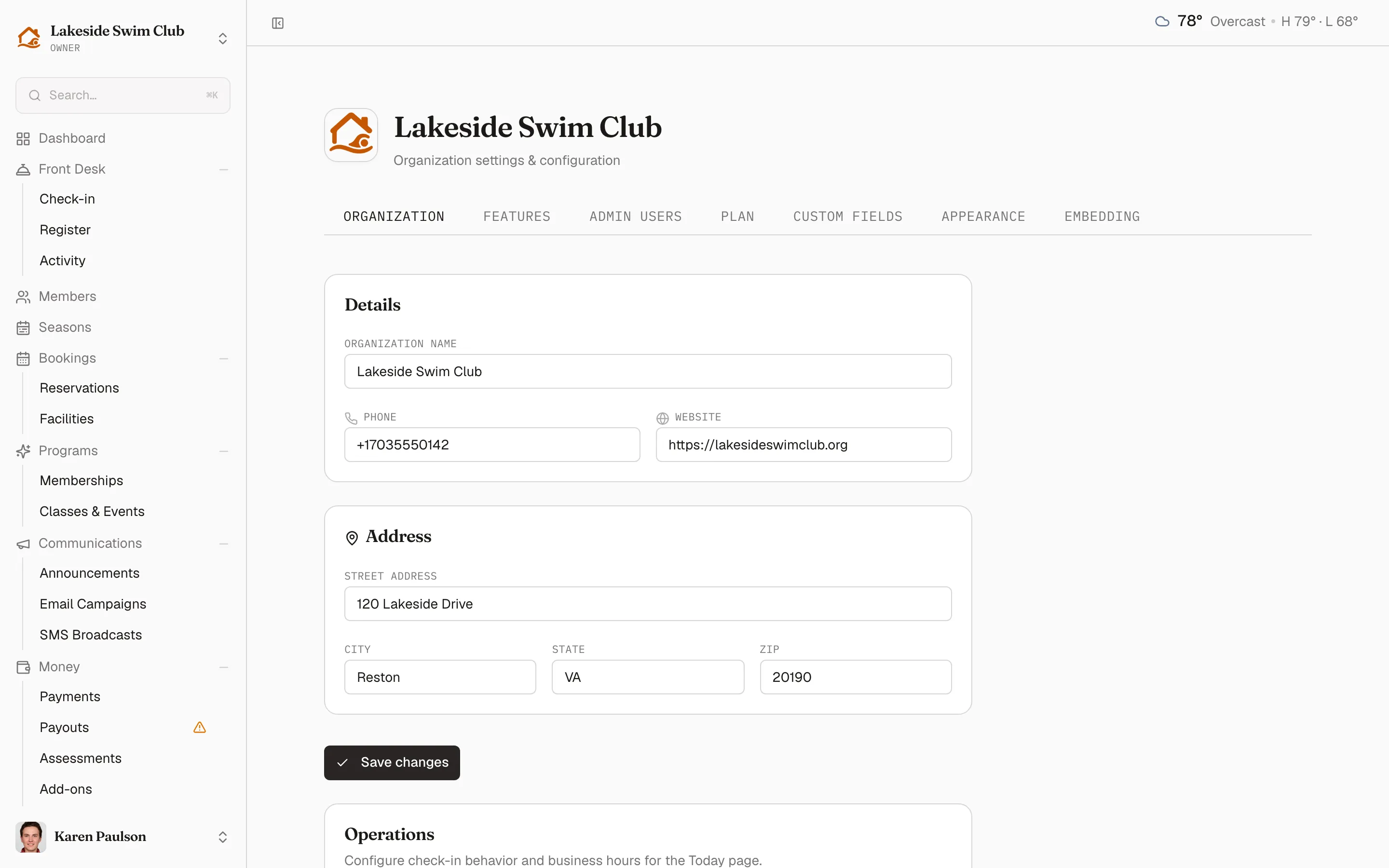
Four cards make up the tab. Details and Address are who you are and where you are; Operations is how the day runs; Upcoming closure parks the dates you’ll be shut. Details and Address share one Save changes button below them both, while Operations and Upcoming closure save on their own — so a change in one block isn’t lost when you edit another.
Details and address
Section titled “Details and address”Details holds your Organization name, Phone, and Website. Address below it takes Street address, City, State, and ZIP. Members see these wherever they need to reach you — receipts, the portal, and notification footers. One Save changes button, sitting under both cards, commits the lot.
Operations
Section titled “Operations”The Operations card sets the rhythms of daily work:
- Check-in reset time — when the front desk’s “today” window resets.
- Business hours start / Business hours end — the x-axis of the dashboard’s occupancy graph.
- Enable checkout — lets staff check members out from the on-site list; disable it to make check-ins one-way, so a visit is recorded but nobody has to remember to close it out. See Check-in.
- Allow guests without a household member — lets staff check in a member’s guests when nobody from the household is on site. Family members can always check in alone; this is only about guests, and their passes are still charged to the member.
- Delinquent members at check-in — what happens when staff check in a member with a failed renewal payment or overdue balance: Off — never gate on balance, Warn staff — allow, show a warning, or Block check-in until paid. The outstanding amount is shown to staff either way. See Check-in.
- Awaiting-payment timeout (days) — how long a membership can sit awaiting payment before it expires and the seat goes to the waitlist. Leave it blank (the field reads Never expire) and invites never lapse — members keep getting weekly reminders until they pay.
- Installment grace period (days) — how long after a missed installment payment before the membership is suspended.
0suspends immediately; blank never suspends automatically. - Timezone — used for check-in windows, business hours, and everything Memberley schedules on your behalf. Reservations, class sessions, reports, and reminders all display in this timezone.
Click Save operations settings when you’re done.
Schedule a closure
Section titled “Schedule a closure”Upcoming closure, the last card on the tab, holds one date range for the stretch you’ll be shut — a maintenance week, the off-season — and shows it to staff so nobody is caught out.
- Click Set dates (or Edit, once a closure is on the books) to open Schedule a closure.
- Pick the Dates range. The end date has to fall on or after the start date.
- Click Save.
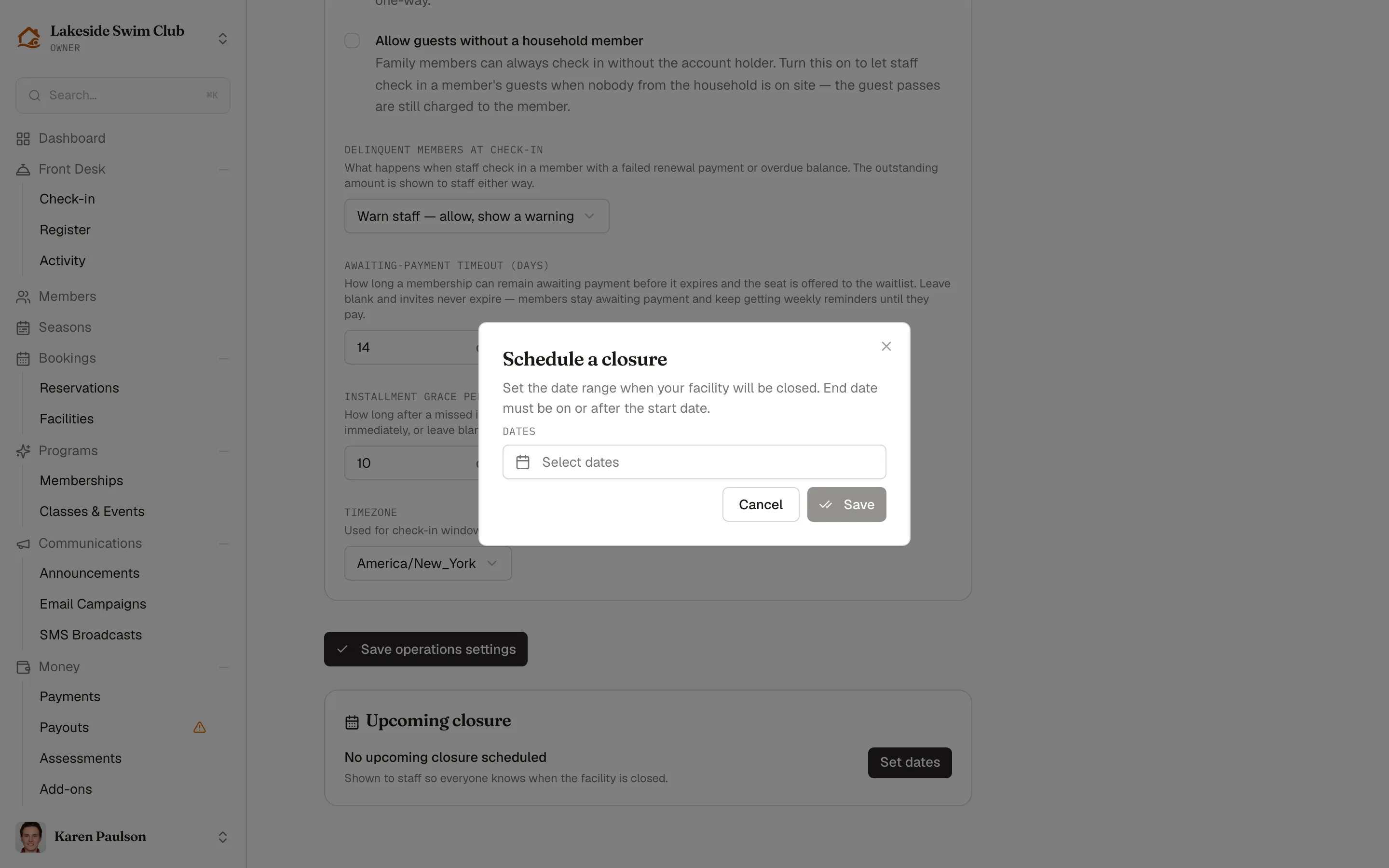
Remove closure in the same dialog clears it again.