
QuickBooks Online
Once a day is over, Memberley can post everything that happened on it — dues, register sales, refunds, account credits, sales tax — into QuickBooks Online as a single balanced journal entry, summarized onto the accounts you chose. Your treasurer reconciles in QuickBooks without re-keying anything. Click Integrations in the sidebar, then open QuickBooks Online.
Setup is four steps, in order: connect the company, map your accounts, say where the numbers should start, and preview a day before letting it run on its own. Nothing reaches QuickBooks until all four are done — a new organization’s export is switched off, not merely idle.
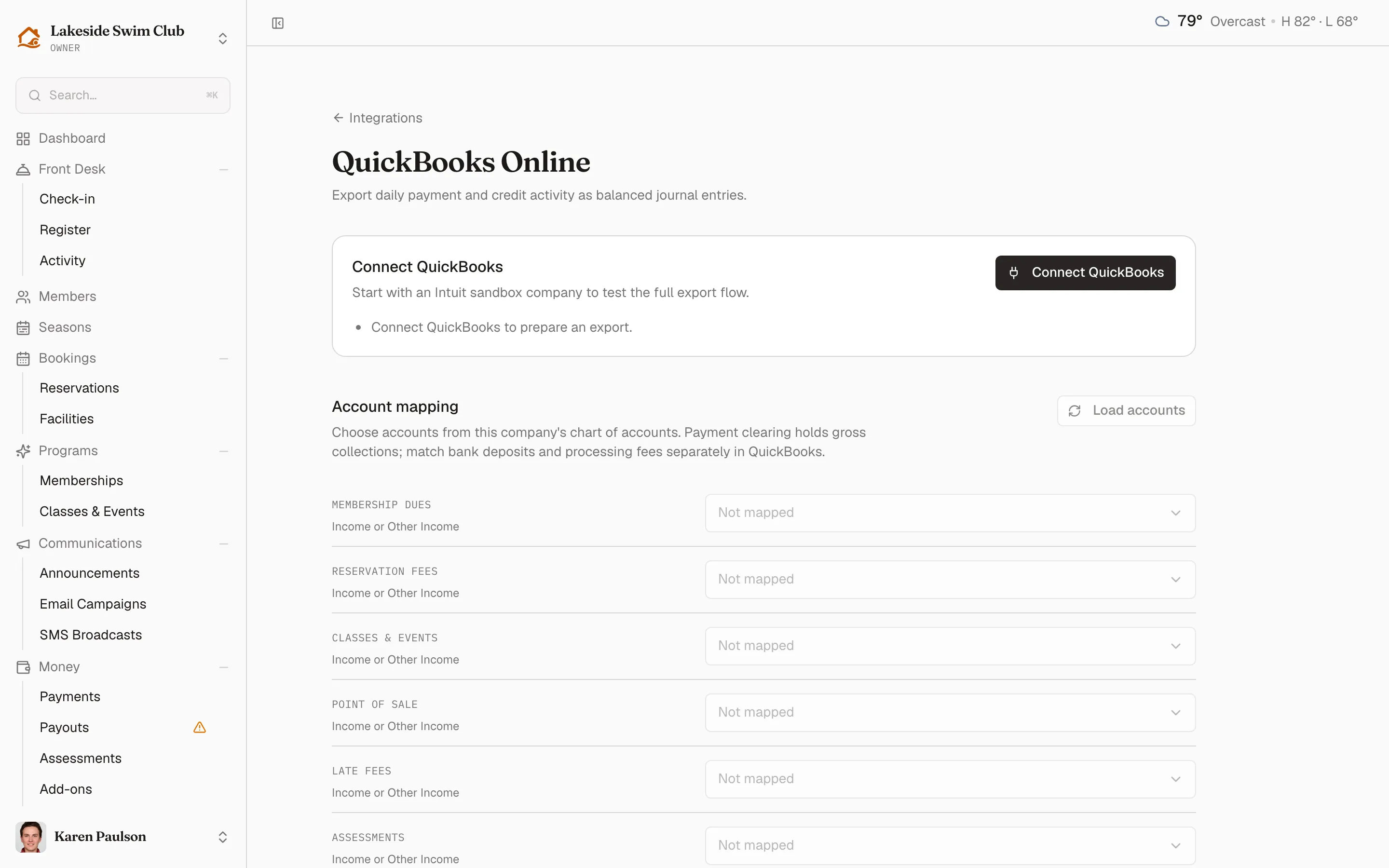
The bullet list under the connect prompt is the quickest way to see where you are: it names what’s still missing and empties out as you work down the page.
Connect your company
Section titled “Connect your company”- Click Integrations in the sidebar, then QuickBooks Online.
- Click Connect QuickBooks and sign in to Intuit, choosing the company Memberley should post to.
You come back to a heading that now reads Connected to QuickBooks, followed by the company name, the environment, and its currency, with Last exported and Sync readiness beneath.
The company has to keep its books in USD — Memberley checks the home currency when it reads your chart of accounts, and won’t map accounts from a company in another currency. If you’d rather rehearse first, Intuit gives every developer account a free sandbox company: connecting that one lets you run a real export end to end, journal entry and all, without touching your live books.
Map your accounts
Section titled “Map your accounts”The Account mapping section pairs each kind of money Memberley handles with an account from your chart of accounts.
- Click Load accounts. Memberley reads the active accounts out of the connected company; until you do, every row is locked.
- Pick an account for each row. Each row only offers accounts of a compatible type — the grey line under the category name says which.
- Click Save mappings.
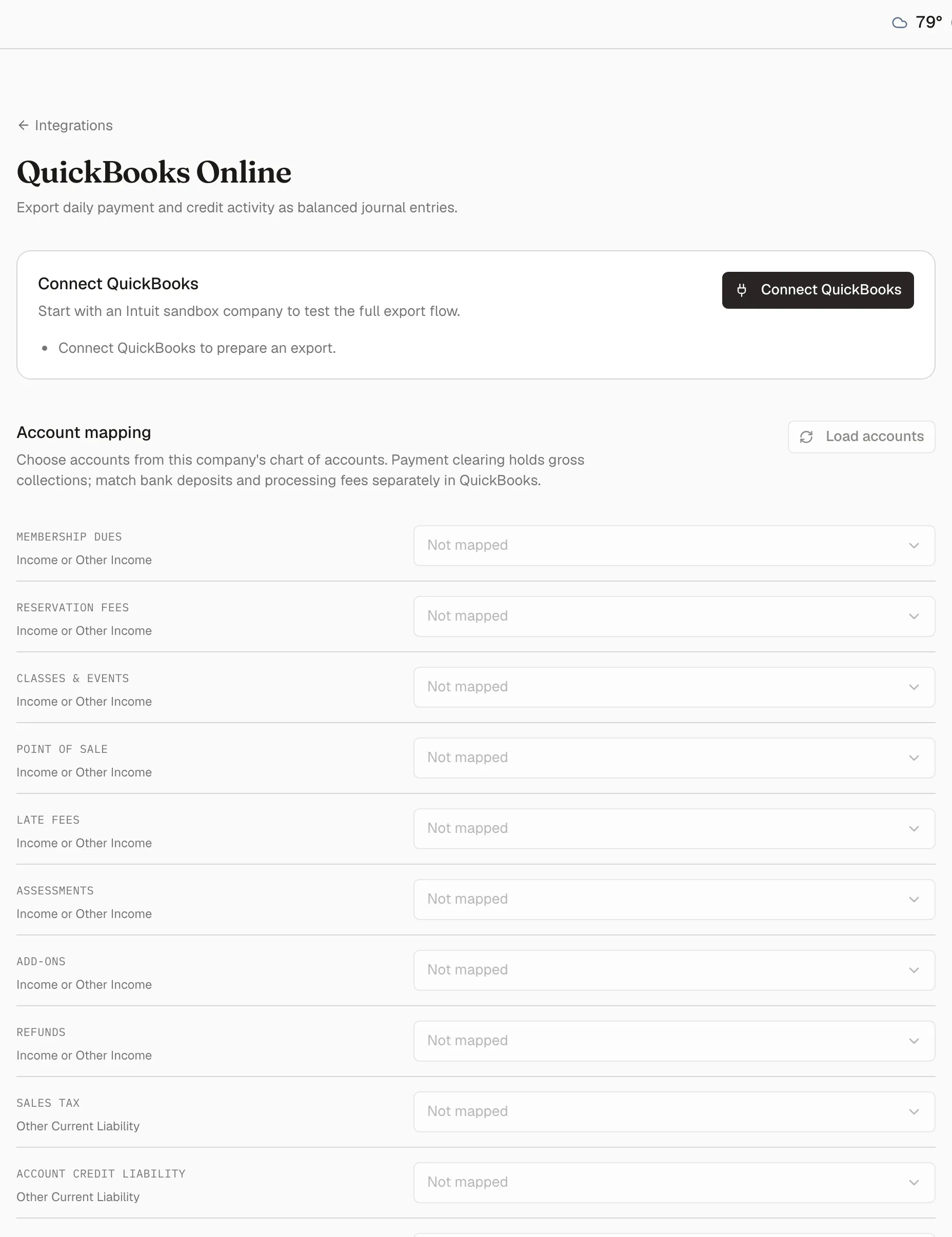
| Category | Accepts | What lands here |
|---|---|---|
| Membership dues | Income | Dues, upgrade proration, join and application fees, manually recorded payments |
| Reservation fees | Income | Reservation charges and guest passes |
| Classes & events | Income | Program registrations |
| Point of sale | Income | Register sales |
| Late fees | Income | Late fees assessed on unpaid dues |
| Assessments | Income | Capital contributions, initiation fees, special assessments |
| Add-ons | Income | Add-on purchases |
| Refunds | Income | Money refunded to members |
| Sales tax | Other Current Liability | Tax collected on taxable charges |
| Account credit liability | Other Current Liability | Credit you hold on members’ behalf |
| Prepaid liability | Other Current Liability | Prepaid balances topped up but not yet spent |
| Credit breakage | Income | Credit that expired unused |
| Payment clearing | Bank or Other Current Asset | Gross collections, before fees |
| Card surcharges | Income | Card fees passed on to members |
| Credit grants | Expense | Credit you gave away rather than sold |
Payment clearing has to be an account no other category uses, and it holds gross collections — what members paid, not what reached your bank. Stripe’s processing fees and the payouts themselves are deliberately out of scope: reconcile the deposits against this clearing account in QuickBooks the way you would any merchant account.
Say where the numbers start
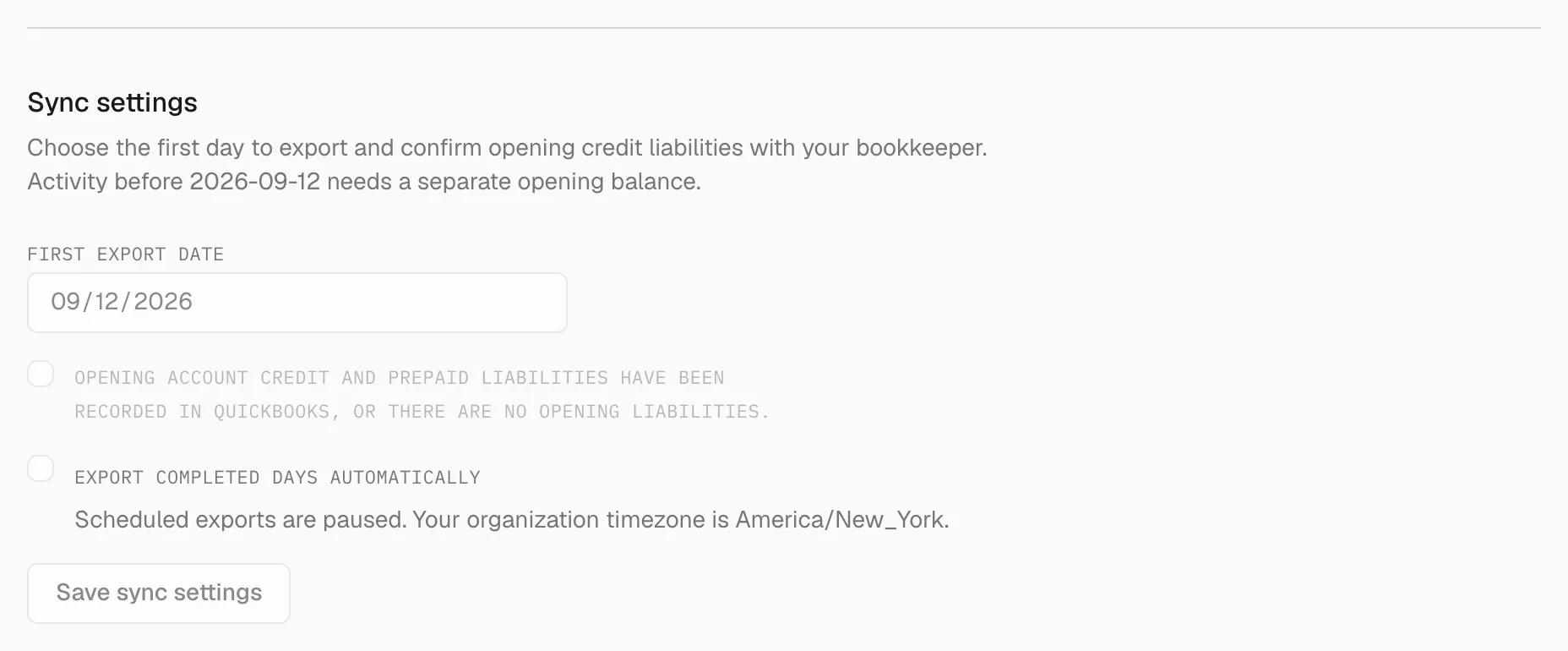
Section titled “Say where the numbers start”Sync settings is the step that decides what history you’re claiming, and the one that turns the schedule on.
- Set the First export date. Memberley can only vouch for activity from the day it began capturing accounting events, and the description names that date. Anything earlier belongs in an opening balance your bookkeeper enters directly.
- Tick the opening-balance confirmation — that the credit and prepaid balances your members already hold are recorded in QuickBooks, or that there aren’t any. The daily entries build on that starting position.
- Tick Export completed days automatically.
- Click Save sync settings.
Preview before you commit
Section titled “Preview before you commit”Preview a daily export is a dry run. Pick an Export date and click Preview export: Memberley builds that day’s journal without sending it — every account, its debit or credit, and a total that has to balance. It’s the cheapest way to discover that dues are pointed at the wrong income account.
Only completed days can be exported, so today is never on offer. A day on which no money moved shows No activity to export for this day.
If the journal looks right, Export to QuickBooks queues that day immediately. If you’d rather not, leave it — the schedule picks the day up on its own.
Watch the exports
Section titled “Watch the exports”Export history lists every day Memberley has tried to post, newest first, each with its status, how many records it covered, how many attempts it took, and the QuickBooks journal id once there is one. View activity opens the underlying records behind any single day.
Memberley is deliberately careful here:
- A failure worth retrying comes back on its own, backing off from a minute to an hour, up to five attempts before the day is marked failed.
- Success is only claimed after Memberley reads the journal back out of QuickBooks and confirms it matches what was sent, account by account.
- If a request goes out and no answer comes back, the run is flagged as possibly received. Look for the entry in QuickBooks: if it’s there, paste its id into the journal-id field and click Check QuickBooks; if it isn’t, click Retry export.
When a day fails, every owner and manager gets an email — subject QuickBooks export needs attention — so a broken sync doesn’t sit unnoticed until year end.
Disconnect or switch companies
Section titled “Disconnect or switch companies”Disconnect ends the link and pauses scheduled exports; you’re asked to confirm first. Everything already posted stays in QuickBooks — disconnecting removes nothing from your books.
Connecting a different QuickBooks company starts setup over: mappings belong to the company they were made in, so the first export date, the opening-balance confirmation, and the automatic-export setting are all cleared along with them. Reconnecting the same company leaves your setup intact.