
Features
The Features tab is a row of switches that turn optional behaviors on and off for your whole organization. Open it with Settings → Features. Nothing takes effect until you click Save features on the sticky bar at the bottom, which tracks where you stand: Unsaved changes while you’re editing, Features saved. once it lands.
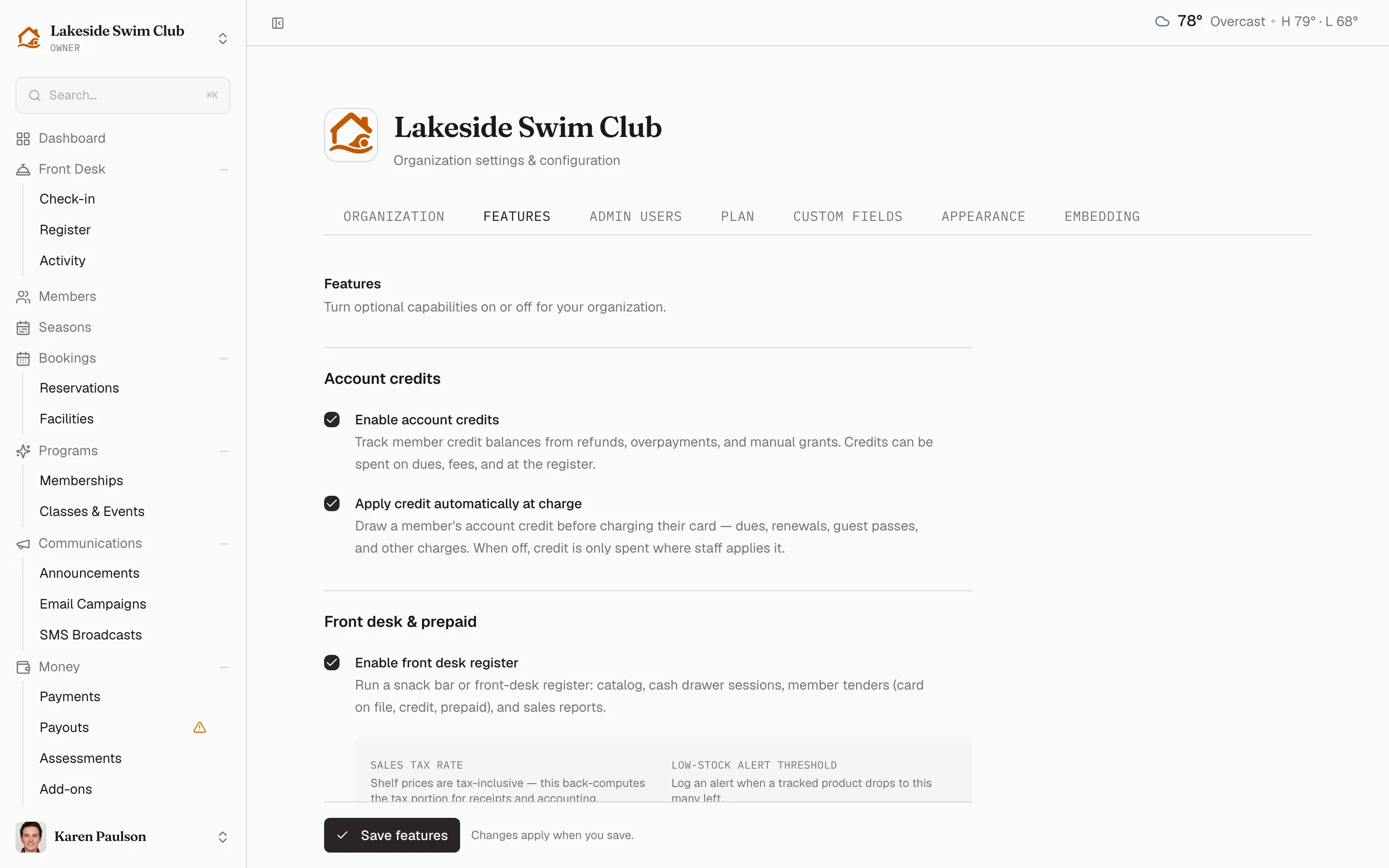
The switches come in five groups.
Account credits
Section titled “Account credits”- Enable account credits — track member credit balances from refunds, overpayments, and manual grants. Credits can be spent on dues, fees, and at the register.
- Apply credit automatically at charge — appears once credits are on. Draws a member’s credit before charging their card for dues, renewals, guest passes, and other charges. When off, credit is only spent where staff applies it.
Front desk & prepaid
Section titled “Front desk & prepaid”- Enable front desk register — run a snack bar or front-desk register: catalog, cash drawer sessions, member tenders, and sales reports. Enabling it reveals the Sales tax rate and Low-stock alert threshold used by the register and catalog.
- Enable prepaid balances (Splash Card) — members load money onto a prepaid balance from their saved card and spend it at the register. Loads never expire; unused balances are refundable on departure by an admin. Turning it on reveals a Default top-up amount and Top-up bonus tiers. This toggle only shows when account credits are enabled — prepaid rides on the same balance.
Card payments
Section titled “Card payments”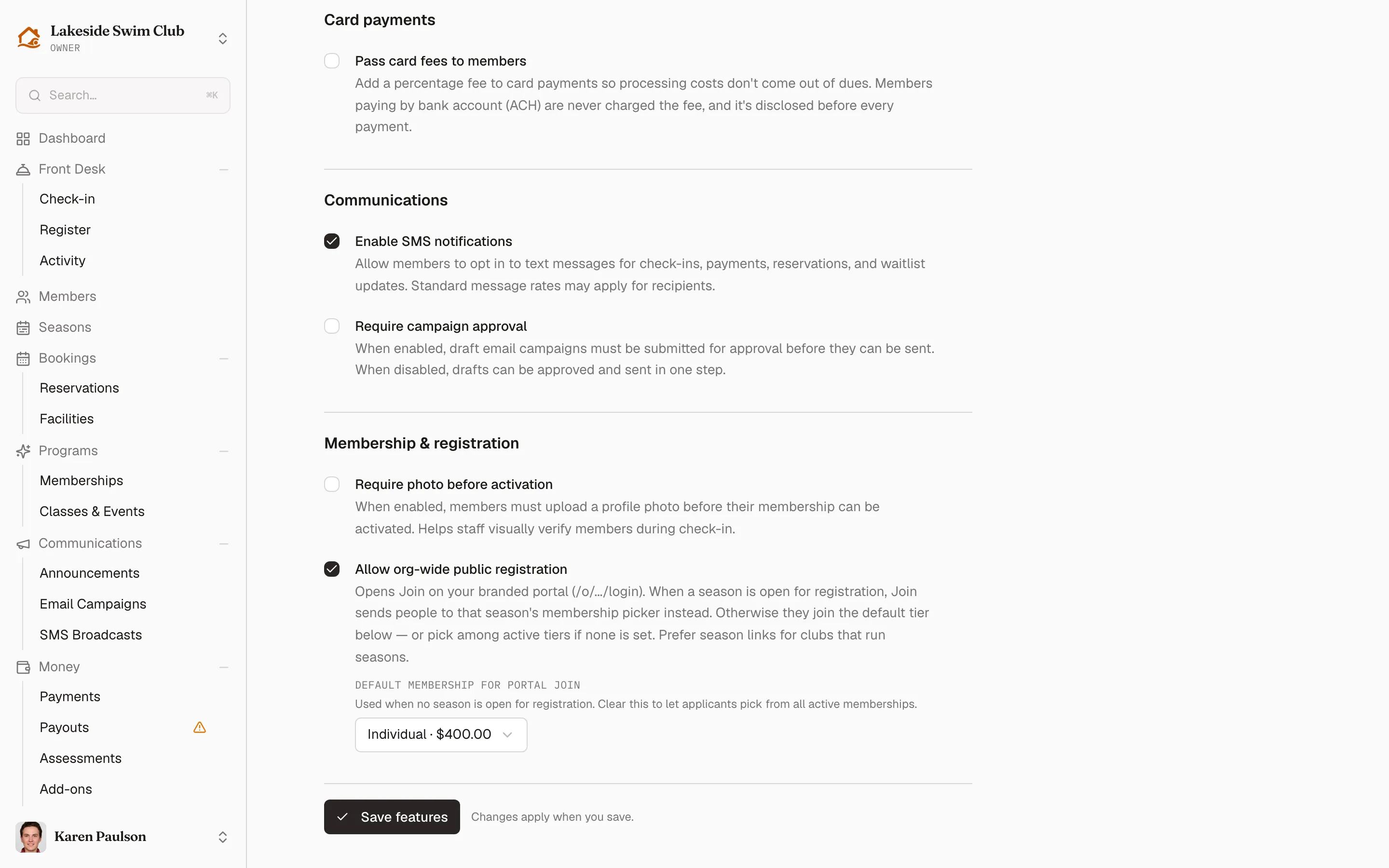
- Pass card fees to members — add a percentage Card fee (0.5–4%) to card payments so processing costs don’t come out of dues. Members paying by bank account (ACH) are never charged the fee, and it’s disclosed before every payment. Applies to narrows which charges carry it: Membership dues & renewals, Application fees, Reservation fees, Guest passes, and Programs & events.
Communications
Section titled “Communications”- Enable SMS notifications — allow members to opt in to text messages for check-ins, payments, reservations, and waitlist updates. Required before SMS broadcasts can reach anyone. This one is only rendered when your plan includes the Communications module; without it, the toggle isn’t on the page at all.
- Require campaign approval — draft email campaigns must be submitted for approval before they can be sent. When off, drafts can be approved and sent in one step. See Email campaigns.
Membership & registration
Section titled “Membership & registration”- Require photo before activation — members must upload a profile photo before their membership can be activated, so staff can visually verify members during check-in.
- Allow org-wide public registration — opens Join on your branded portal. When a season is open for registration, Join sends people to that season’s membership picker; otherwise they join the Default membership for portal Join you pick below the toggle — leave it on Let applicants choose and they pick from every active membership instead. Clubs that run seasons usually prefer sharing season links instead.
- Turn public registration off and the picker is replaced by Message shown when registration is closed (optional) — a line visitors see in place of Join, like “Registration reopens in the spring — email us to join the waitlist.”