
Waivers & signatures
Waivers are the documents members must actually agree to — liability releases, codes of conduct, photo consent. You write the waiver once; Memberley collects electronic signatures, tracks who’s covered, and can hold up check-in for anyone who isn’t. Open them by clicking Documents in the sidebar, then the Waivers tab.
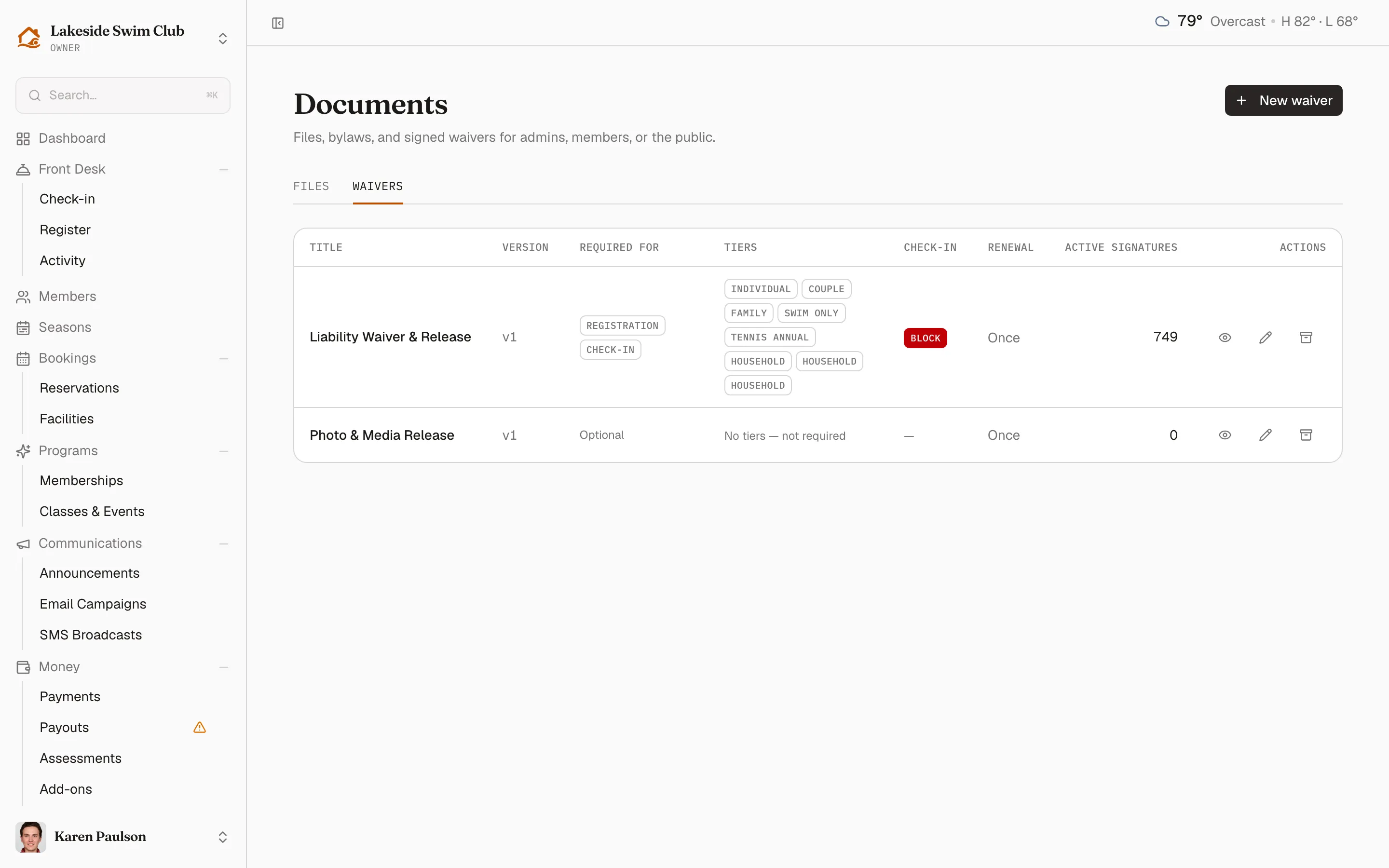
Create a waiver
Section titled “Create a waiver”- Click New waiver.
- Enter a Title (e.g. General Liability Waiver) and write the Body — the editor toolbar covers headings, lists, and links.
- Choose whether signatures need annual renewal — with it on, a signature expires a year after signing and the member must sign again.
- Choose the check-in behavior for unsigned members: not required, Warn (staff see a notice at the gate but can proceed), or Block check-in until it’s signed.
- Pick which membership tiers require it. Every active tier starts checked — a new waiver is usually meant for everyone — so uncheck the tiers it shouldn’t cover.
- Save the waiver.
A waiver applies only to the tiers it’s assigned. Unassign it everywhere to keep it on file — an old version, a board-only variant — without requiring it from anyone. The same assignment is editable from the other side as Required waivers on each tier.
How members sign
Section titled “How members sign”Members are asked to sign during registration and from their portal, where unsigned required waivers are surfaced. Signing shows the full waiver text and asks them to type Your full name as the signature; households can sign for themselves and their family members. Every signature is stamped with the waiver version, the signer, and the time, and members can download a PDF copy.
Track signatures
Section titled “Track signatures”Click View signatures in the waiver’s row actions to open its signatures page:
- Summary tiles — Active signatures, Expiring soon, and Expired.
- One row per signature: Signer, when they Signed, Status, and the waiver Version they signed.
When annual renewal is on, Memberley emails members ahead of their signature expiring so coverage doesn’t lapse silently — see What runs automatically.
Edit a waiver
Section titled “Edit a waiver”Editing the waiver’s text bumps its version. Signatures always record the version signed, so you can tell exactly who agreed to which wording — members who signed an older version show as needing to re-sign when the change matters.
Archive a waiver
Section titled “Archive a waiver”Archiving retires the waiver: nobody new is asked to sign, existing signatures are preserved, and any check-in enforcement stops. Archive from the waiver’s row actions.
Archiving is the right move when a waiver is superseded or no longer needed — there’s no reason to keep collecting signatures on it, and the ones you already hold stay on the record.