
SMS broadcasts
Requires the Communications module
An SMS broadcast sends a single text message to a segment of your members — the channel for things that can’t wait for email, like a lightning closure or a last-minute schedule change. Broadcasts send immediately; there are no drafts or scheduling.
SMS must also be enabled for your organization. If it isn’t, the page says so and points owners to Feature settings (or Plan settings if your plan doesn’t include SMS yet) — see Features and Plan & billing.
Send a broadcast
Section titled “Send a broadcast”- Click Communications in the sidebar, then SMS Broadcasts, then New broadcast.
- Choose a Segment. Below the picker, Memberley shows how many members the broadcast will reach.
- Write the Message. Your organization’s name is prefixed and a “Reply STOP to opt out.” footer is appended automatically — both count toward the 160-character limit, and the live counter shows the total as you type.
- Check the Preview of the exact composed text, then click Review & send.
- The Send broadcast? dialog restates the recipient count and full message. Click Send now.
The message that lands on members’ phones looks like:
[Lakeside Swim & Tennis] Pool closed today due to lightning storm. Reopens tomorrow at 9am.Reply STOP to opt out.Who receives it
Section titled “Who receives it”The recipient count is not the segment’s full size: a member is eligible only if they have a verified phone number and have opted in to announcement texts in their notification preferences. Members manage that opt-in themselves — the same controls you have on Notifications & calendar sync — and can opt out any time by replying STOP.
Track delivery
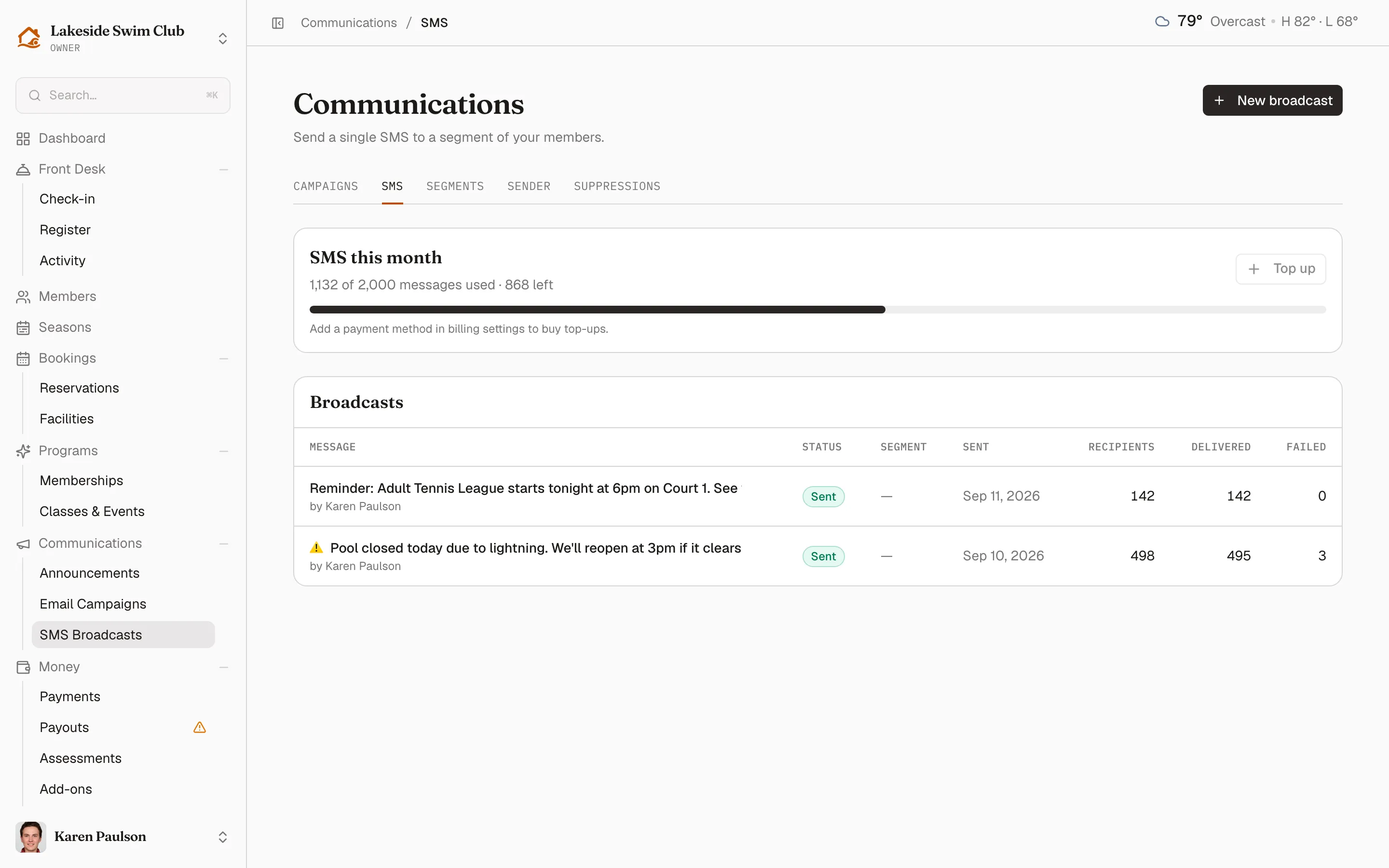
Section titled “Track delivery”The SMS Broadcasts list keeps your history — each row shows the message, its status, the segment, who sent it, when, and its recipient, delivered, and failed counts.
Click a broadcast to open its detail page: the status (Queued, Sending, Sent, or Failed), the exact message that went out, and stat cards for recipients, delivered, and failed. The recipients table lists each person’s phone, per-message status, sent time, and any failure reason in Notes — searchable by name or phone and filterable by status. The page refreshes itself while the broadcast is still sending.
Your monthly allowance
Section titled “Your monthly allowance”The Communications module includes 1,000 SMS per calendar month, resetting on the 1st. The SMS this month card on the broadcasts list shows messages used, messages left, and a usage bar. A broadcast that would exceed what’s left is blocked before anything sends — buy a top-up or wait for the reset.
To protect your numbers from carrier filtering, Memberley also caps each organization at 2 broadcasts and 5,000 messages per day.
Buy a top-up
Section titled “Buy a top-up”When you need more messages this month:
- On the broadcasts list, click Top up next to the usage meter.
- Confirm in the Buy 1,000 more SMS? dialog by clicking Charge $15.
Managers who hit the allowance see a note to ask an owner for a top-up; if no card is on file, the button is disabled until one is added.