
Embedding
Requires the Branded Site & Embed module
Embedding puts the member portal inside your club’s own website — members sign in, book courts, pay dues, and sign waivers without ever leaving yourclub.com. Open the controls with Settings → Embedding.
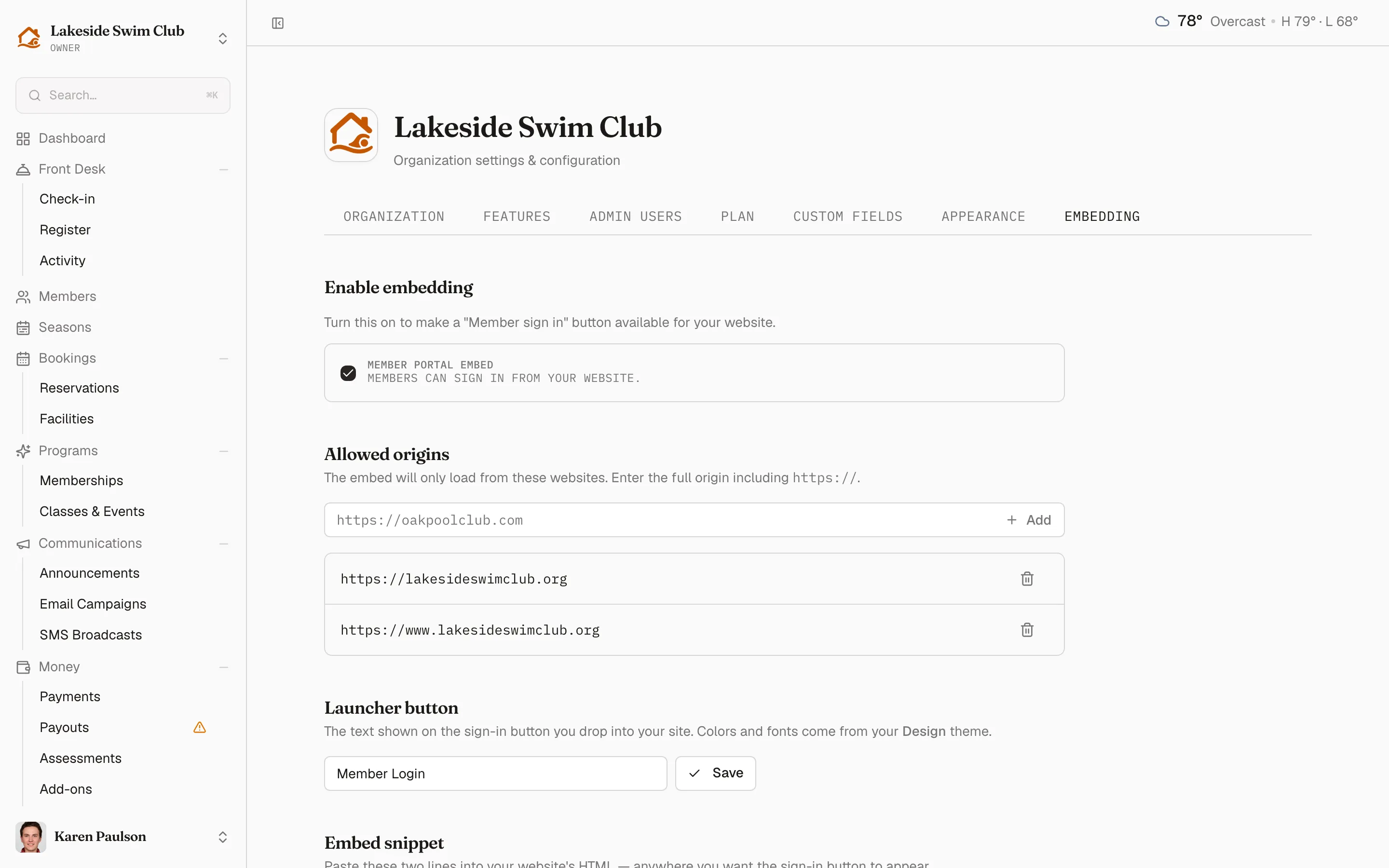
Turn embedding on
Section titled “Turn embedding on”- Enable the embed toggle.
- Set the Button label members see on your site (the placeholder suggests “Member sign in”).
- Add every website that may host the embed under Allowed origins — full origins like
https://oakpoolclub.com. Requests from anywhere else are refused, so the allowlist is your security boundary. - Copy the embed snippet onto your website.
The tab includes a test page for checking the result without touching your real website.
Manage embedded sessions
Section titled “Manage embedded sessions”Revoke all signs out every member session created through the embed — the remote control for a lost laptop at the front desk or a website change you don’t recognize. Members simply sign in again.