
Renewals & late fees
Returning members rejoin each season by accepting a renewal invitation and paying — they’re never rolled over or charged automatically. A season can also carry a dues deadline with a late fee, so members who sit on an unpaid invite too long see a fee added to their balance.
Invite returning members to renew
Section titled “Invite returning members to renew”A renewal batch is a held list — nothing sends until you release it. There are two ways to build one, depending on whether Memberley already ran last season for you.
If you cloned last season
Section titled “If you cloned last season”The batch is built as part of the clone, when you leave Build a held renewal batch for current members checked. See Creating & cloning seasons.
- Click Seasons in the sidebar and open the new season.
- Under Invitation batches, open the renewal batch.
- Review the recipient list. Each member is carried over on the tier they held last season — change any recipient’s Target tier here, because members can’t pick their own tier when renewing.
- Click Release now (or Schedule a send time) and confirm.
Releasing moves the season from Setting up to the Renewals phase, which keeps waitlist promotion paused so renewing members get first claim on capacity.
If this is your first season on Memberley
Section titled “If this is your first season on Memberley”There’s no clone to carry anyone forward, so you bring the roster in yourself and build the batch from it.
- Create the season and attach the tiers you’ll offer.
- Import last season’s roster as Inactive on this season’s tiers, with welcome emails turned off. (Members who have already paid for this season come in as Active instead — they need no invite.)
- On the season page, under Invitation batches, click Build renewal batch.
- Set how long invites stay valid and click Build batch.
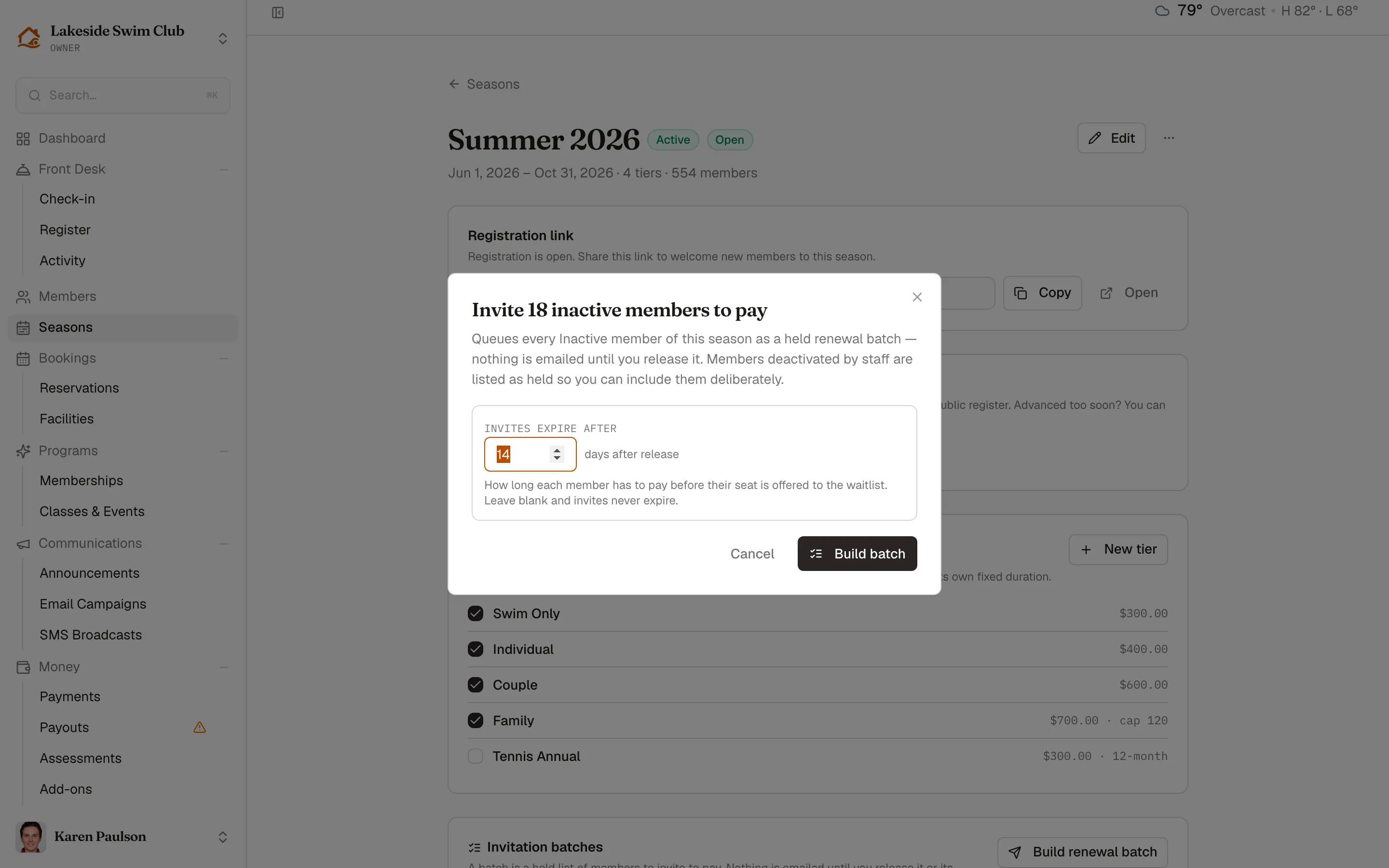
The batch queues every Inactive member of the season. Anyone deactivated deliberately — by staff, or by a defaulted payment plan — is listed as held instead, so you can decide about them one by one. Review the list, then release it or schedule the send exactly as above.
What each recipient gets
Section titled “What each recipient gets”Each released recipient gets a membership awaiting payment and an email with a link to rejoin and pay — the renewal email for a cloned season’s batch, the welcome email with a claim link for a first season’s roster batch. Memberley confirms how many invites went out and how many were skipped, then emails a reminder the day after the invite and one a week after that until they pay. Unpaid invites expire after the batch’s expiry window (your organization’s awaiting-payment timeout by default), freeing the spot for the waitlist or public registration.
The full batch workflow — held recipients, capacity warnings, scheduling — is covered in Registration codes & invitations.
If a member owes an assessment — a capital contribution, an initiation fee — the renewal email itemizes it beside the dues and gives a combined total, so the figure in the email is the figure at checkout. Assessments never block a renewal: they’re a separate charge on the account, not a condition of rejoining.
Set a dues deadline and late fee
Section titled “Set a dues deadline and late fee”- On the season page, find Dues deadline & late fee and click Edit.
- Check Charge a late fee for unpaid dues.
- Enter the Late fee amount and pick the Dues deadline. Both are required when the fee is on.
- Click Save changes.
The season page then summarizes the policy — for example, “A $50.00 late fee applies to dues unpaid after Apr 15, 2026. It’s added to the member’s balance — never auto-charged.”
When the fee is applied
Section titled “When the fee is applied”Each morning, Memberley checks every season whose deadline has passed and assesses the fee to members who still owe dues — that is, members whose membership is still awaiting payment on a paid tier in that season. For each one it:
- Adds a pending late-fee charge (e.g. “Late fee — Summer 2026”) to the member’s balance. The fee is assess-only: it is never auto-charged to a card.
- Emails the member that the fee was applied.
A few boundaries to know:
- Each membership is assessed at most one late fee per season — even if you waive the first one, it won’t be re-assessed.
- Members paying on an installment plan are skipped; installments have their own grace and suspension rules.
- Archived seasons are never assessed — and since an ended season archives itself within the hour, a season that’s over stops assessing fees on its own.
- Setting a deadline that has already passed assesses everyone still unpaid on the next morning run.
- An invite window that closes before the deadline means nobody is left awaiting payment to charge; the batch page warns you when the two dates disagree.
Like other unpaid balances, an outstanding late fee counts toward the member’s standing and can gate front-desk check-in, depending on your delinquency settings.
Waive a late fee
Section titled “Waive a late fee”Assessed someone who deserves grace? Waive the pending charge from their profile — see Refunds, waivers & reminders.