
Bring members in
Your organization is set up and has something to offer — time to fill the roster. This page walks the third group of the setup checklist: share your join links, open public registration, and import members you already have. It starts from the season you created during setup, because each season carries its own registration link.
Open your season
Section titled “Open your season”Seasons scope your membership tiers to a date range and give you staged signup phases — early renewals for returning members, then open registration. Each season gets its own shareable registration link.
- Click Seasons in the sidebar. (No season yet? Click New season — name, dates, and the tiers it offers — see Creating & cloning seasons.)
- Use each season card’s Registration button to grab its shareable link, and Manage to control its phases.
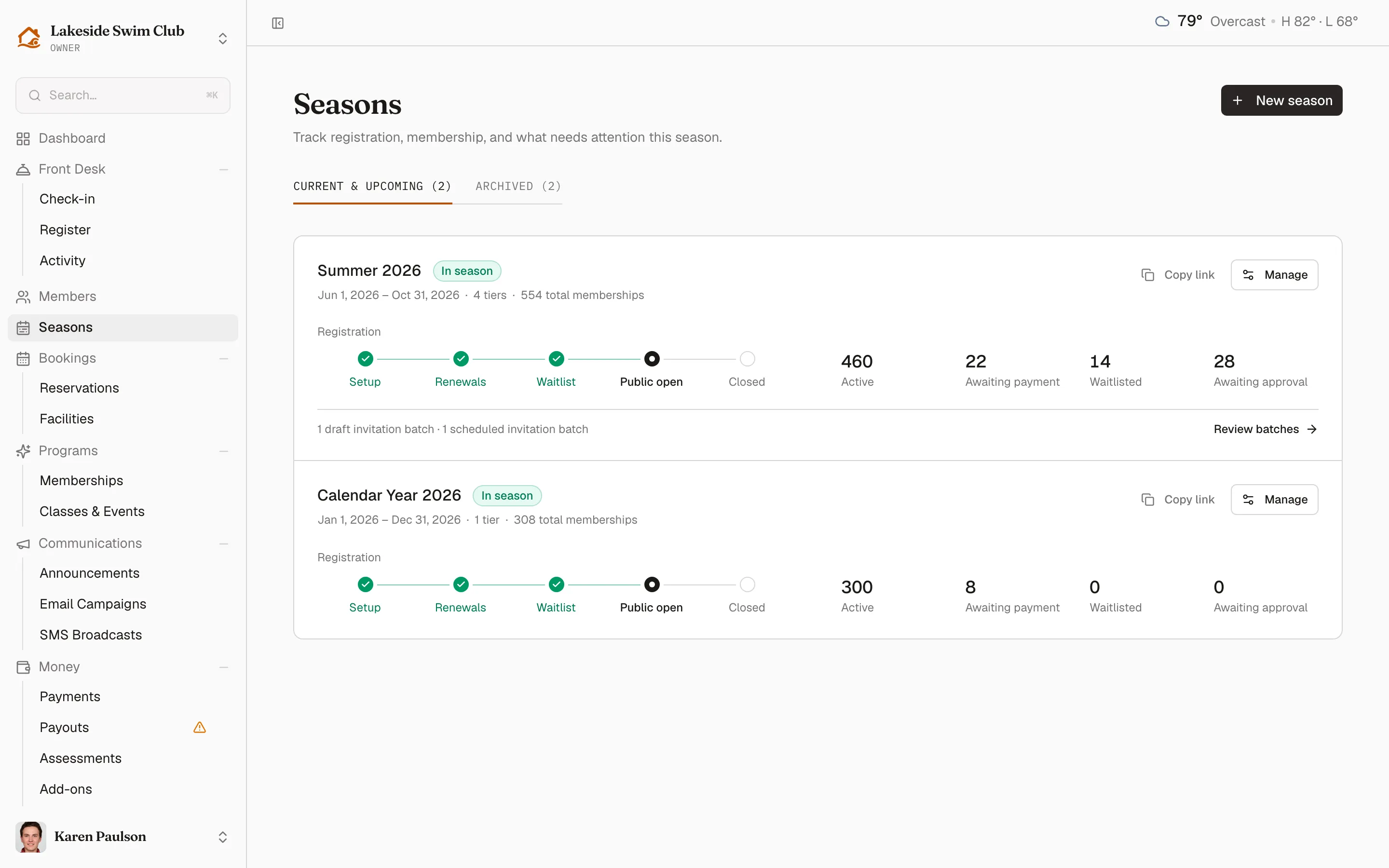
Skip this if your club runs year-round — members can join your default tier directly. The lifecycle and phases are explained in How seasons work, and season links in Registration codes & invitations.
Share your join links
Section titled “Share your join links”The Share links panel at the top of the member roster gives you two links, both opening your branded portal:
- The invite link carries your invite code, so new members can join even when public registration is off — and joining through it waives the application fee, if you charge one.
- The login/join link is your portal’s front door: existing members sign in, and prospects use its Join tab when public registration is on.
- Click Members in the sidebar.
- In the Share links panel, copy the invite URL, or click Copy login/join for the portal link.
- Use the Invite code active checkbox to switch the invite code off; inactive invite links fall back to plain sign-in. Only owners can change this.
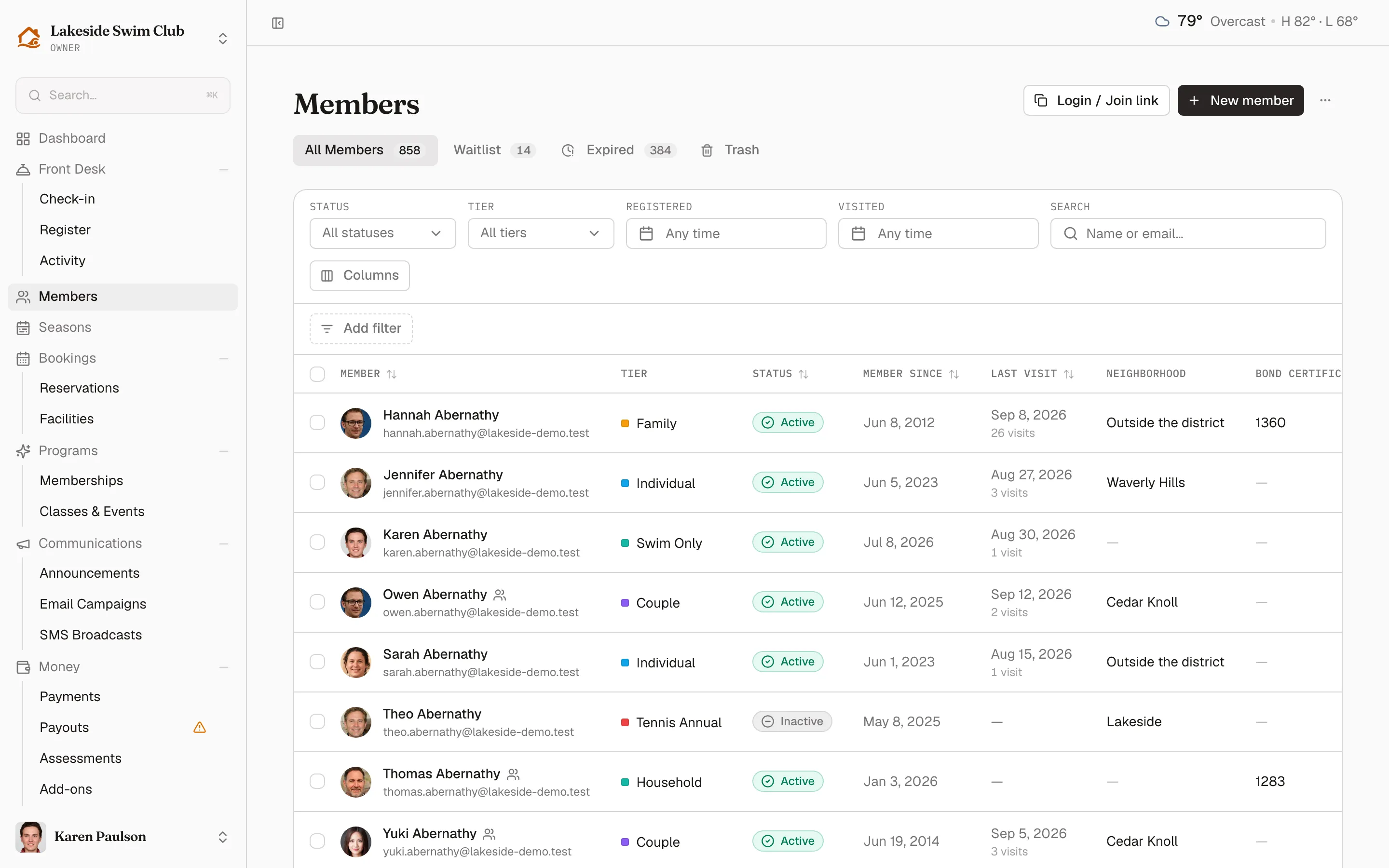
When a season is open, the portal’s public Join goes to that season’s membership picker instead of your default tier.
Turn on public registration
Section titled “Turn on public registration”To let prospective members sign themselves up without an invite code:
- Click Settings, then Features.
- Turn on Allow org-wide public registration.
Alternatively, open a season — each season’s registration link is always reachable and reflects the season’s current phase, whether or not org-wide registration is on.
Import an existing roster
Section titled “Import an existing roster”Moving from spreadsheets or another system? Bring everyone over in one CSV:
- Click Members, then Import. The button is enabled once you have at least one membership tier.
- Upload a CSV with at least
nameandemailcolumns, then review the preview before finishing the import. Family members go in the same file: give their row the primary member’s email in amember_ofcolumn.
The full walkthrough — file format, expected columns, and fixing flagged rows — is in Adding & importing members.
Related
Section titled “Related”- Build your team — the last step in this guide.
- Approving new members
- Registration codes & invitations
- Adding & importing members