
Announcements
Announcements are short posts that greet members at the top of their dashboard when they sign in — pool openings, holiday hours, league news. They’re included on every plan, and both owners and managers can post them.
Post an announcement
Section titled “Post an announcement”-
Click Communications in the sidebar, then Announcements. If your club has no email or SMS module, Announcements appears directly in the sidebar.
-
Click New announcement.
-
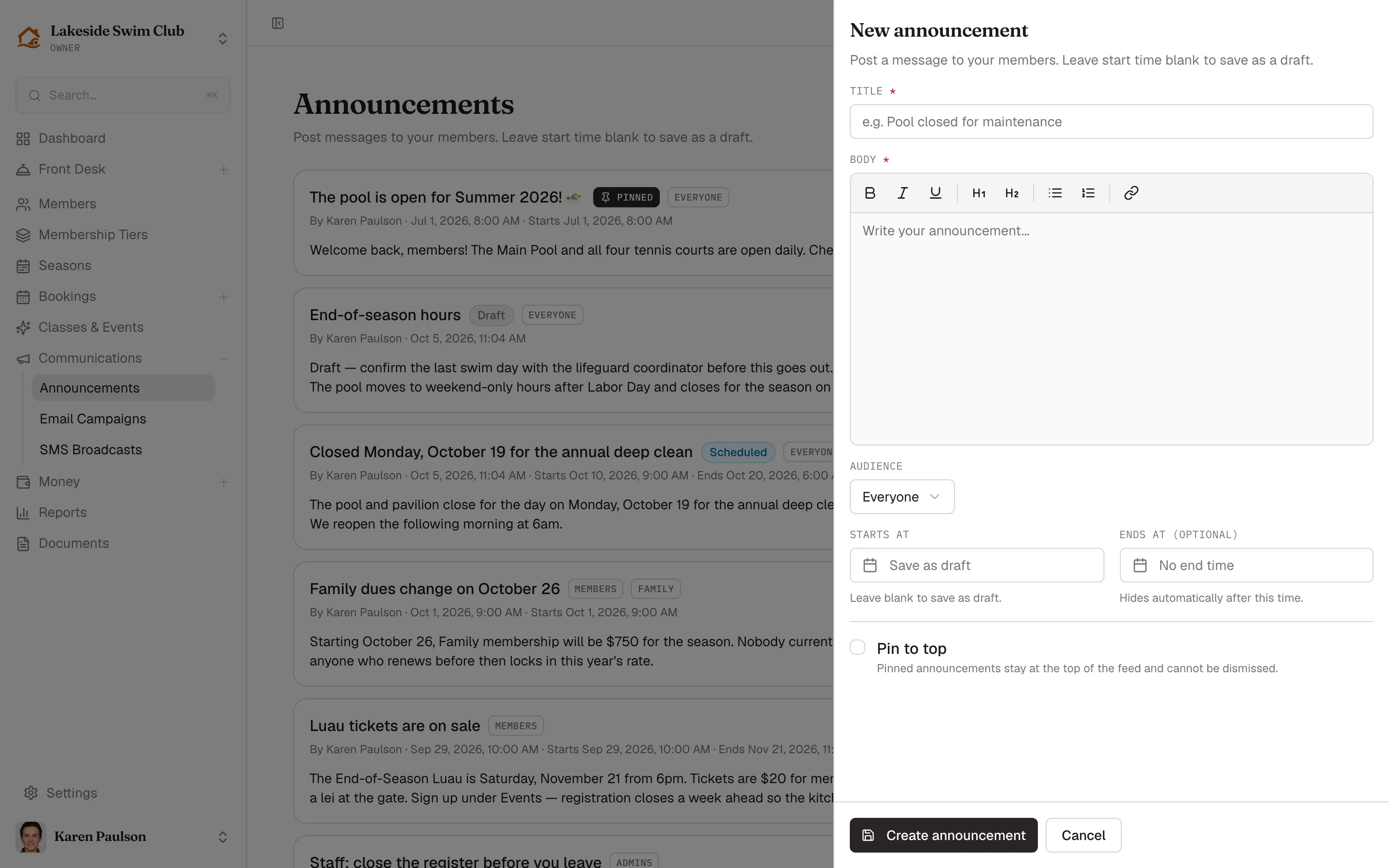
Enter a Title and write the Body — the editor supports rich text formatting.
-
Pick an Audience:
- Everyone — all users in your organization.
- Members only — optionally narrowed with Limit to membership tier (optional).
- Admins only (Owners + Managers) — an internal notice members never see.
-
Set Starts at, or leave it blank to save as a draft.
-
Optionally check Pin to top.
-
Click Create announcement.
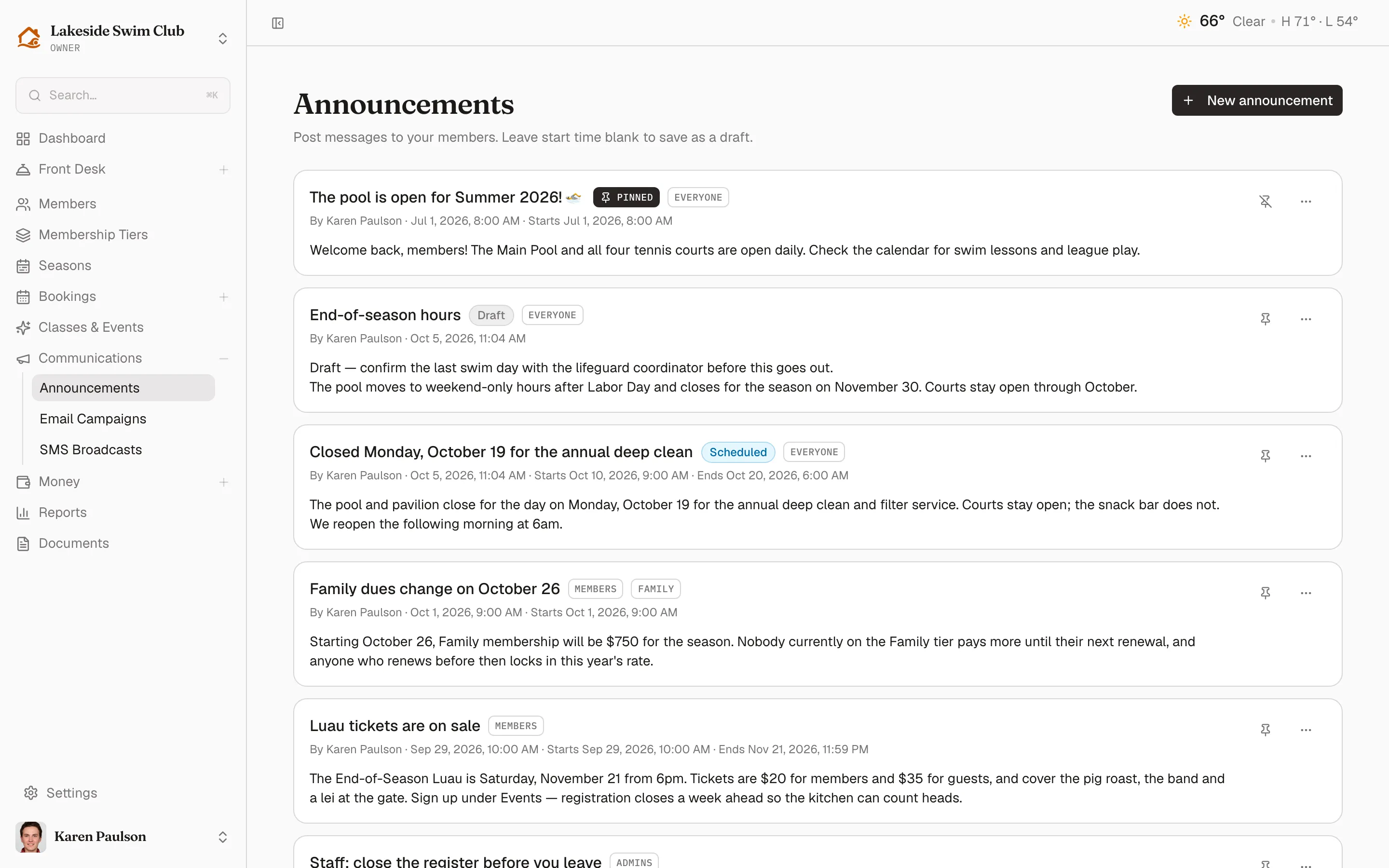
Each card in the list shows the announcement’s badges — Pinned, Draft, or Scheduled, plus its audience and tier — along with who posted it and when it starts and ends.
Draft, schedule, or expire a post
Section titled “Draft, schedule, or expire a post”The Starts at and Ends at (optional) fields control when an announcement is live:
- No start time — saved as a draft. Members don’t see it until you set a start time.
- Future start time — shows a Scheduled badge and appears to members automatically at that time.
- Ends at — the announcement hides itself automatically after this time. Leave it blank to keep the post up until you delete it.
Pin an announcement
Section titled “Pin an announcement”Click the pin icon on any card to pin or unpin it. Pinned announcements stay at the top of the members’ feed and cannot be dismissed — use pinning for the one thing everyone must see, like an emergency closure.
What members see
Section titled “What members see”Members get an Announcements section at the top of their dashboard listing every live post that matches their audience, pinned posts first. Each card shows the title, a Pinned badge where relevant, the posted date, and the body.
Each member can dismiss a non-pinned announcement with its X button; dismissing hides it for that member only, and everyone else keeps seeing the post. Pinned announcements have no dismiss button.
Edit or delete an announcement
Section titled “Edit or delete an announcement”- Open the ⋯ menu on the announcement’s card.
- Click Edit to change the title, body, schedule, or audience, then Save changes.
- Or click Delete and confirm. Deleting can’t be undone, and members’ dismissals of that announcement are removed with it.