

Plan & add-ons
The Plan & Add-ons tab is where your Memberley subscription lives: the plan you’re on, and the à-la-carte modules attached to it. Open it with Settings → Plan & Add-ons.
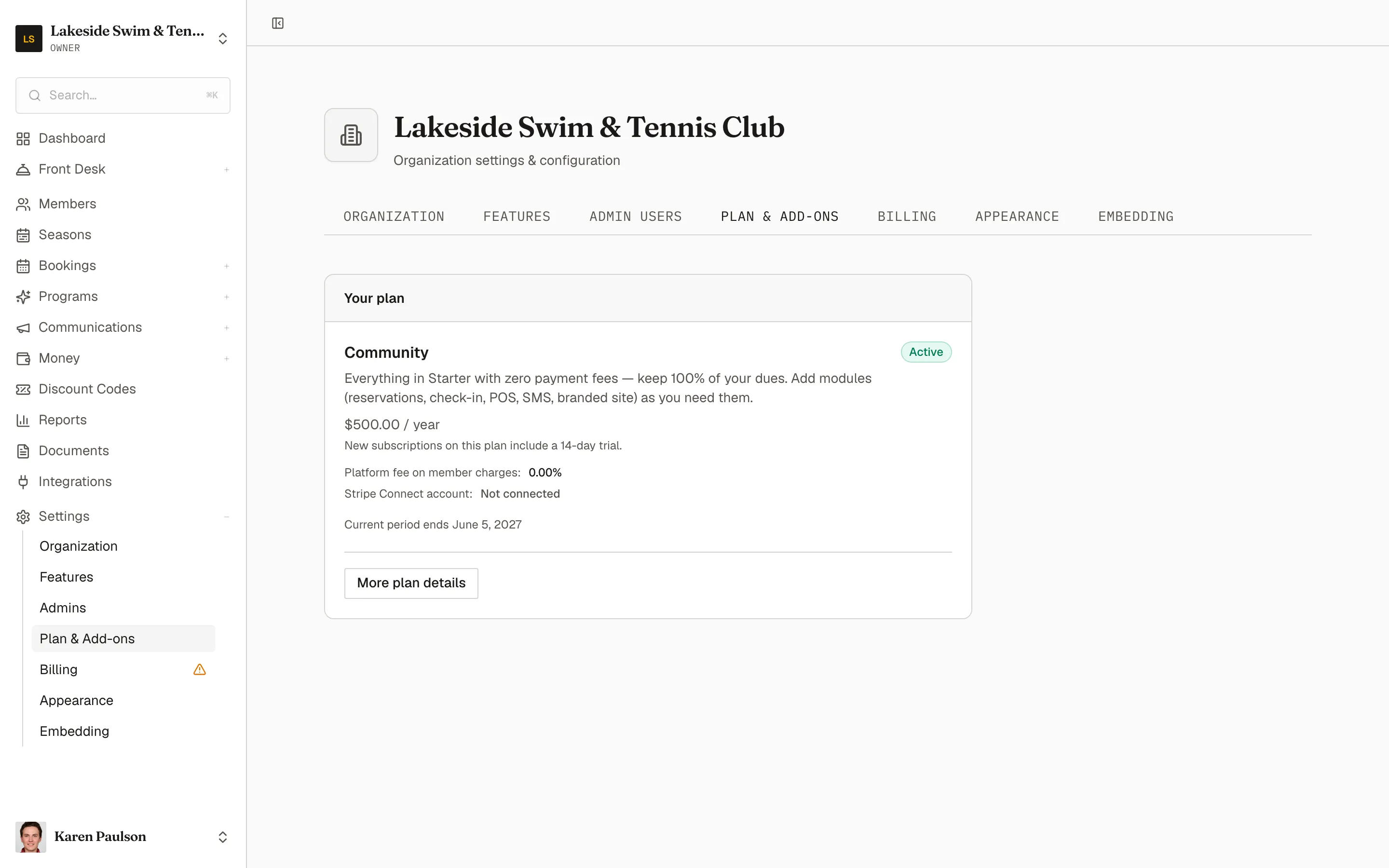
Your plan
Section titled “Your plan”The Your plan card shows your current plan with its price, your subscription status, when the current period ends, and two facts worth knowing:
- Platform fee on member charges — the percentage Memberley takes on payments you collect (0% on the Community plan).
- Stripe Connect account — the account your collected payments flow through, connected under Billing & Stripe.
Click Switch plan to move between plans — the change is prorated on your subscription.
Add-ons
Section titled “Add-ons”The Add-ons card lists every Memberley module with its yearly price and an Active badge on the ones you hold. Turn on only the features your club needs:
- Click Add on a module to attach it — the charge is added to your subscription and prorated immediately, and the module’s navigation appears for your admins right away.
- Click Remove on an active module and confirm with Remove add-on — Stripe credits the unused portion of the current billing period, and the module’s navigation disappears.
What each module unlocks, with pricing, is cataloged in Modules & pricing.